
Clock Button has been added with three Mouse Click events: LMB, MMB, and RMB.
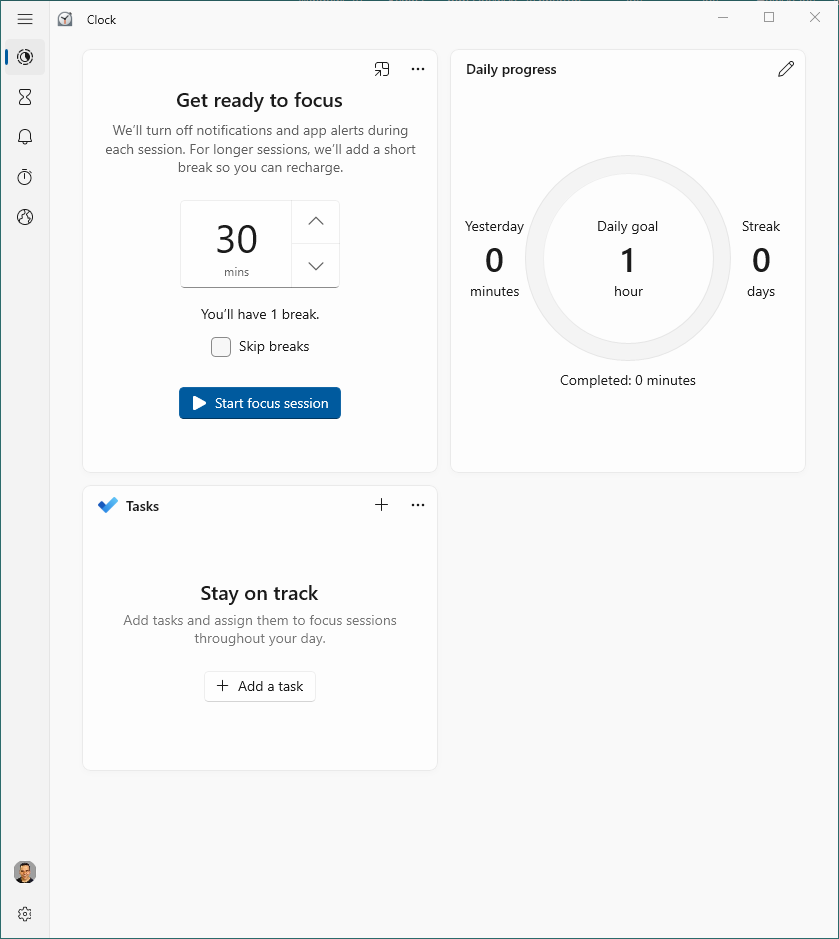
| LMB Click | MS Clock is open in the last mode |
| MMB Click | MS Clock is open in last mode |
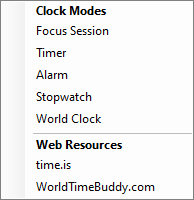
| RMB Click | The menu opens with a selection of modes |
While to the uninitiated this looks trivial, this post is more about getting used to the WordPress platform than revealing too much about Ammenster.
RMB Click- The menu pops up, giving you one slight move and click access to other features of the clock. You don’t have to leave the mouse to get to the clock’s deep functionality. One of the key philosophies of Ammenster is to shave time off using a computer where possible.
LMB- But what can be said is that access to the clock functionality and online clock sites has been dramatically sped up. This LMB Click button will give rapid access to focus time, something every student knows is needed. The convenient 30-minute time is divided up between 25 minutes of hitting an objective and 5 minutes of rest. Experienced workers will also benefit from focused time management.
Leave a Reply