Buttons for easy drag-and-drop programming.
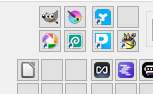
Now the concept is simple, nothing ground-breaking here, have buttons that the user can drag and drop their own applications, folders, or links onto a button, and then when they left-click the button, the application launches, or the folder opens in Explorer, or the link opens in the default app, or what the user programmed into the button.
I have just dropped some random files onto my computer to see how the program handles different types of files being dropped on the button. So far, I am ecstatic about the results of phase 1.
Now, if you’re wondering why these buttons are programmable, creating an application type-centric application instead of focusing on issue-centric methods only, in my dog food experiments, I sometimes needed applications for quick access, just like in the menu bar at the bottom of Windows and other user interfaces.
Now this is opposed to some of the hard-coded applications I have added to the interface. Now those are functionally overloaded, so they make sense to hard-code. So, depending on how my Dog Food experience goes, I may hard-code more applications and un-hard-code others.
So far, I’ve coded over 54 of these buttons, taking about 30 seconds each.
The key thing to remember here is that once buttons are placed, they will form a landscape for you, the user, much like the toolbars in your Windows applications. The difference here is that the interface is far denser and will be fixed in strategic locations.
One issue I keep running into is that developers constantly break their user interfaces with new methods. For example, you would think that Windows 10 would not receive any more updates to its applications, since it is end of life. However, the Clock Application got an update that broke my Clock Button, which I had gotten working so well. So when you navigate without a mouse, you would press Alt, then press a letter to select a clock function. Now, somebody at Microsoft has decided to convert those letters to numbers and shift the starting position of the user interface’s alt sequence.
Anyway, it shows Ammenster is going to need constant updates, just to deal with change.
What’s next, Phase 2, is about giving the icon customizations. Have a look at the right-click menu for a button.
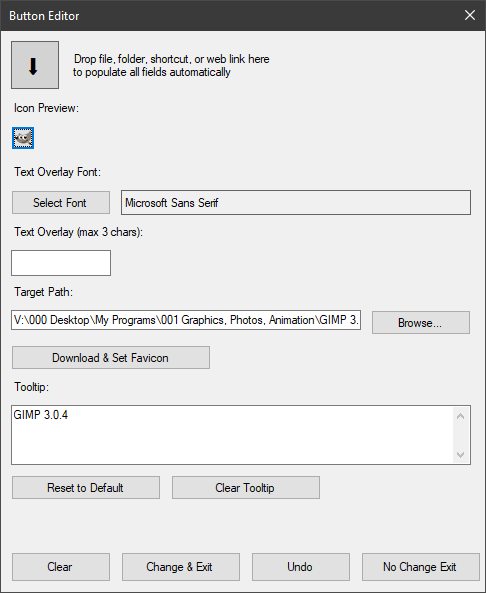
The icons can come in different sizes, but the idea is that you can go to various sources for icons and set them accordingly: JPG, PNG, icon, SVG, website favicons, Windows common DLLs, etc. If Windows has had it for a long time, you will right-click on the icon preview button and see a range of options. Again, I can put some programmable buttons here as well to link to your free/paid icon websites.
In the Tooltip, which is actually the item’s name, I set its behavior so it removed ‘- shortcut’ (1) and (2), because they were so common and annoying.
Another thing is that there are three lines of text viewable, and the name is multiname. I haven’t made the box scrollable yet, but we will see how it’s going as I dogfood this.
The undo button returns the button to its state when it was opened. It was far to complicated to have a progressive undo button.
Now, the other thing you might notice is the removal of some shortcut mini icons. The aim is to get rid of them all, because I think it’s pretty self-evident that they are shortcuts to something.
Another thing the button will be able to do is take at least one character, provided it is the right size. There are many fonts with cool symbols. You can see I have peppered them throughout the application. This stuff will be developed in later phases of the project.
The possibility of adding more functionality to these buttons, for example, accepting drag and drops to open files after the initialization of the button, is one of the ideas I am thinking about.
From a time-and-motion point of view, the buttons are on par with Windows toolbar buttons in terms of time to access; the real difference will come in Ammenster’s ability to tightly pack these buttons into tabs and useful groups. Like all the Network tools together, all the video editing tools together, etc.
Joe.
Leave a Reply