Ammenster Changelog for Version 1.0.82
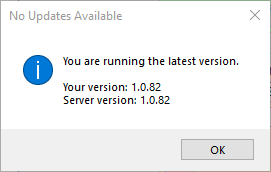
The new changes introduce the ability to check for updates when the Ammenster Starts. It is very basic in its functionality by checking for the latest version. This is a very important update that lets users keep their applications up to date.
• New Automatic Update System
• The application now automatically checks for new updates and notifies you when one is available.
• The update notification window has been improved and now includes a link to the changelog.
• Fixed several bugs to make the update process more reliable.
• New Power & Session Management Features
• You can now restart the application directly from the power controls.
• Added new options to lock your computer or switch users from within the application.
• The middle and right-click actions on the power button have been swapped for more intuitive access to options.
• Tooltips for the power button have been updated to be more descriptive.
• Improved User Experience
• In many confirmation dialogs, the mouse cursor will now automatically move to the default button (e.g., “Yes”).
• A flashing effect has been added to the cursor in these dialogs to make it easier to see.
• The icon for the power-off/log-off/restart button has been updated.
• Minor visual improvements have been made to data tables.
Leave a Reply